
Vyper
Pulling together data from multiple alpha channels (such as Twitter/X feeds, Telegram groups, Discord channels, and tracked smart wallets) into a unified interface.
What is Vyper?
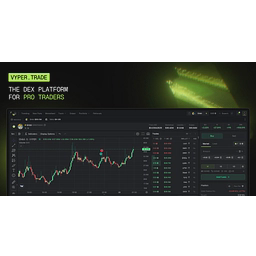
Vyper brings together terminal & interface views and research & tracking. Dedicated layouts for Trading (Trade View), Token Pages, Trending data (Discover), Memefeed, and New Pairs. On-chain analytics, smart wallet tracking, wallet manager, and custom alpha aggregation feeds.
Its documented workflow includes: Navigate to the website and click "Start Trading". Prompted users link their Telegram account, which redirects to a companion Telegram bot that issues a waitlist confirmation notification. Once pulled off the waitlist, users receive a notification message containing a secure login link to initialize their Vyper account.
The platform documentation describes wallet access this way: Custodial/Turnkey initial setup where users are provisioned an initial trading wallet and given direct access to its private key upon account generation.
Official resources
Supported networks
- Solana
Vyper features
Terminal & Interface Views
Dedicated layouts for Trading (Trade View), Token Pages, Trending data (Discover), Memefeed, and New Pairs.
Research & Tracking
On-chain analytics, smart wallet tracking, wallet manager, and custom alpha aggregation feeds.
Automation & Execution
Built-in automation settings designed to dynamically adapt to live fees, trade volatility, and volume.
Launcher
Tools allowing users to deploy and launch tokens directly from the app.
Account & Rewards Program
Integrated features including a referral program, partner program, account fee structures, and "Vyper Points" rewards tracking.
How to use Vyper
Join the Waitlist
Navigate to the website and click "Start Trading".
Connect Telegram
Prompted users link their Telegram account, which redirects to a companion Telegram bot that issues a waitlist confirmation notification.
Account Creation
Once pulled off the waitlist, users receive a notification message containing a secure login link to initialize their Vyper account.
Deposit Funds
Users fund their accounts either by manual deposit or by connecting external wallets to transfer capital for trading.
Research & Aggregation
Pulling together data from multiple alpha channels (such as Twitter/X feeds, Telegram groups, Discord channels, and tracked smart wallets) into a unified interface.
Who is Vyper for?
Vyper is suited to users looking for terminal & interface views and research & tracking on Documented Facts. Its documented workflow includes Telegram or mini-app access, wallet funding and balance management, and new-token or automated trading workflows.
Before you use it
- The documentation explicitly instructs users to safely record and store the private key assigned to their initial trading wallet to prevent permanent loss of funds.
- Official documentation explicitly warns users browsing the "Trending" table to watch out for artificial volume inflation caused by wash trading bots on speculative tokens.
- While dynamic settings attempt to adapt to live fees and volatility, high-frequency memecoin environments carry structural execution risks (e.g., slippage, failed transactions, rapid price depreciation).